
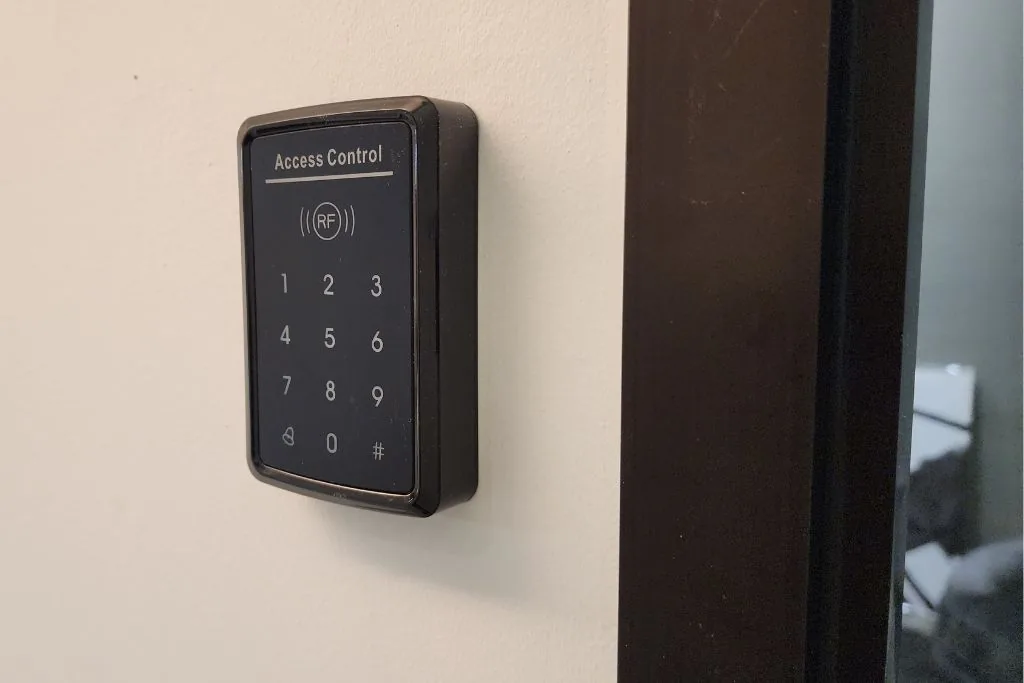
What a door access control system does
A door access control system decides who can unlock a controlled entrance and under what conditions. Instead of relying only on a mechanical key, it can use a card, key fob, code, mobile credential or biometric reader to identify the user.
The system is not just the reader beside the door. The lock, controller, exit device, door status, power supply and administration process all affect how the entrance works day to day.
The main parts work together
A typical system may include the following components. The exact combination depends on the door, the number of users and how access needs to be managed.
- Credential and reader: the card, code, mobile credential or biometric input used to request entry.
- Controller: checks the credential and applies the access rules.
- Locking hardware: secures or releases the door when authorised.
- Exit and door-status devices: allow people to leave and can show whether the door is open or closed.
- Power and network: support the controller, reader, lock and central management where required.
One incompatible component can affect the whole entrance. The door construction, frame, lock type and cable route should be checked before equipment is selected.
Standalone or networked access control
A standalone system manages a limited entrance locally. It can suit a simple requirement where credentials and records do not need to be administered from a central system.
A networked system can manage several controlled doors and central user records. It may be more suitable when a business needs different access permissions, scheduled access or a practical way to remove a staff credential across several entrances.
More doors do not automatically require a complicated system. The decision should follow the number of entrances, users, administrators and changes expected over time.
Choose credentials that suit daily use
Cards and key fobs are familiar and straightforward to issue, but lost credentials need to be removed promptly. PIN codes avoid a physical token but can be shared. Mobile credentials depend on compatible devices and administration. Biometric options introduce additional privacy, consent and user-management questions.
The useful question is not which credential sounds most advanced. It is how residents, staff, visitors, contractors or cleaners will enter, who will issue access and what happens when permission changes.
Decide how the door should behave
Lock selection depends on the door and the required behaviour during normal use, a power interruption and an emergency. Terms such as fail-safe and fail-secure describe what a lock does when power is removed; neither is a universal choice for every entrance.
Exit must remain practical and lawful. Door type, escape requirements, fire-safety requirements and any applicable building rules need to be considered by the responsible parties before the locking arrangement is confirmed.
Permissions need ongoing administration
Access control remains useful only when its records stay current. Someone needs responsibility for issuing credentials, changing permission levels, removing former users and responding to lost cards or forgotten codes.
For an office, shoplot, factory or warehouse, this may include different permissions for staff entrances, offices, stores, loading areas or after-hours access. Keep the rules no more complicated than the operation requires.
Plan visitor entry and intercom response
A controlled door still needs a clear visitor routine. A doorbell or video intercom can let someone identify and speak with a visitor before releasing the entrance, but the response point matters. Confirm who answers during working hours, what happens after hours and whether the person answering can make a sensible entry decision.
For homes, also consider deliveries, family members and the position of the indoor station or mobile response. For workplaces, consider reception, security or the staff member responsible for that entrance.
Check power, network and integration requirements
Controllers, readers and electric locks need a suitable power arrangement. Where the system relies on a network, central software or mobile communication, the network path and administration responsibility should be confirmed as part of the plan.
If attendance records, automatic gates, CCTV or another system are expected to work with door access, define the required interaction before selecting equipment. A shared screen or marketing label does not prove that two systems are technically compatible.
What to confirm before installation
- Which doors will be controlled and what locking hardware is already present?
- Who needs access, at what times and with which level of permission?
- Who will add, change and remove users after handover?
- How should residents, staff and visitors leave the building?
- What should happen during a power or network interruption?
- Is visitor communication required at the same entrance?
- Are attendance records or other integrations genuinely required?
If you are planning controlled entry for a home or workplace in Klang Valley, review Nobel's door access and video intercom installation service. We can discuss the doors, users, visitor routine, power and administration requirements before equipment is selected.